

Introduction
A Tesla can make road-trip charging surprisingly straightforward but a little preparation before leaving can make the difference between a relaxed drive and staring at your battery percentage while mentally calculating every mile.
Tesla’s Trip Planner can automatically build Supercharger stops into a route based on the vehicle’s current state of charge, and the navigation system can show information about charging locations along the way. Tesla specifically recommends using Trip Planner on long-distance journeys because it can provide recommended charging stops and charging times based on the trip.
But navigation is only part of the preparation. Tires, battery conditioning, charging limits, software and backup access are worth checking before you pull out of the driveway.
Here’s a practical Tesla Road Trip Checklist with 10 things to do before you leave.
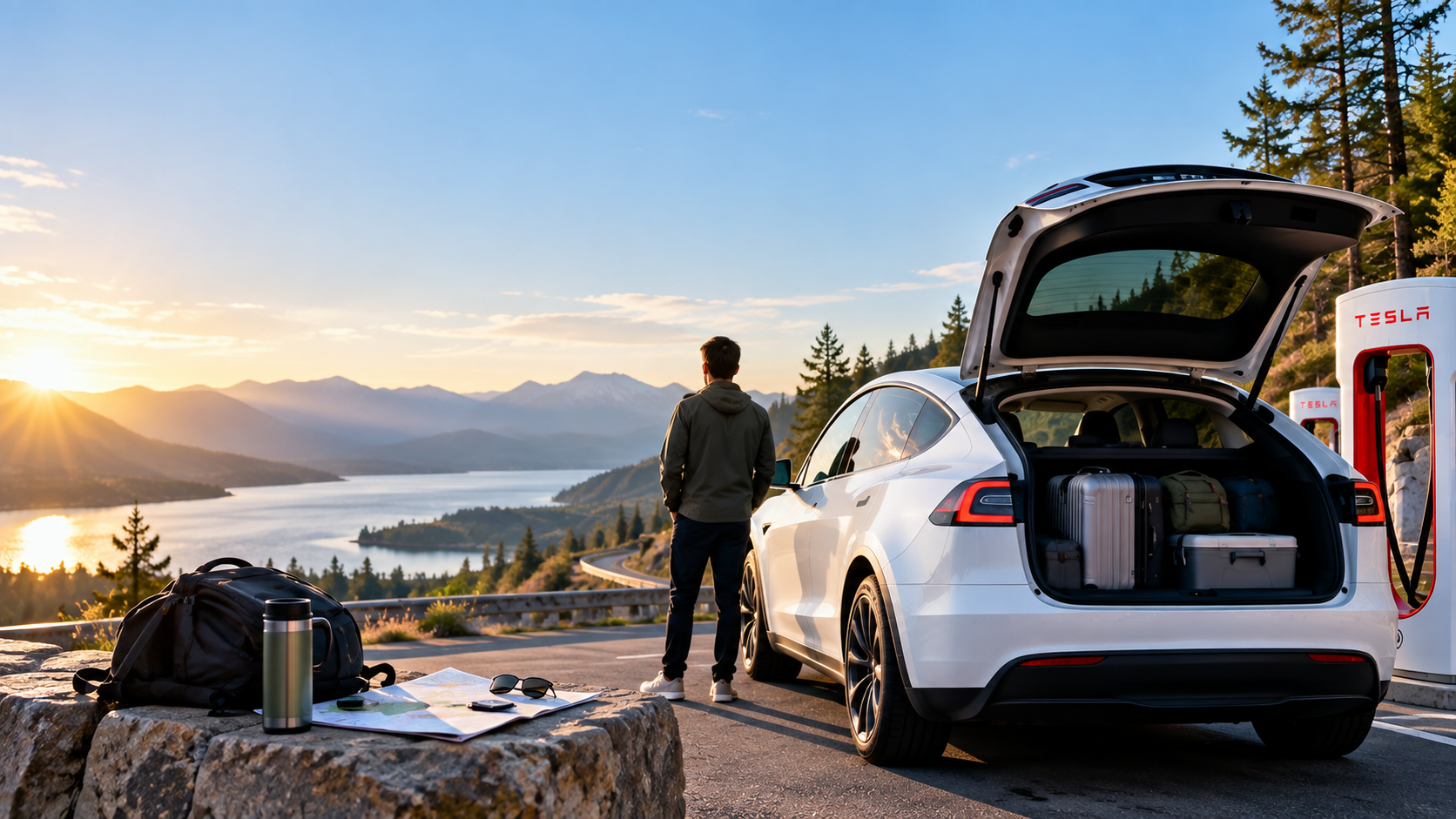
1. Put Your Entire Trip Into Tesla Trip Planner
Start with the obvious but important step: enter your destination into Tesla navigation.
Tesla’s Trip Planner calculates a route and adds Supercharger stops when necessary based on factors including your vehicle’s current state of charge. Tesla recommends using Trip Planner while traveling long distances so it can provide appropriate recommended stops and charging times.
At a Supercharger location, Tesla navigation can also display useful information such as available stalls, status information and maximum charging rate.
Before leaving:
- Enter your final destination.
- Review the planned Supercharger stops.
- Look at charging locations around your destination.
- Check whether overnight or Destination Charging may be available where you’re staying.
Don’t simply memorize a route and assume you’ll figure out charging later. Let the car help with the part it was designed to handle.
2. Set an Appropriate Trip Charging Limit
Before a long journey, check your vehicle’s recommended charging limit.
Tesla says owners should refer to the charging information shown on their specific vehicle’s touchscreen or in the Tesla app for recommended daily and trip charging limits. On supported software, moving the charge slider above the daily recommendation can also provide a temporary one-time higher charge setting for a long trip.
This is important because charging recommendations can depend on the vehicle and battery configuration.
In other words, don’t blindly copy the charging routine of someone else’s Tesla.
For your trip, follow the recommendation displayed by your vehicle.
3. Schedule Charging and Precondition Before Departure
If your Tesla supports scheduled preconditioning, use it before leaving.
Tesla says scheduled preconditioning prepares both the cabin and battery for departure. A preconditioned battery can provide improved performance, while preparing the cabin before departure can reduce the energy needed once you’re already driving.
When possible, leave the vehicle plugged in while preparing for departure.
A simple routine is:
- Plug in the Tesla.
- Set your desired charging limit.
- Set your planned departure time.
- Schedule preconditioning.
- Let the vehicle prepare before you leave.
This is especially useful when temperatures are particularly hot or cold.
4. Check Your Tire Pressure While the Tires Are Cold
Tires can directly affect safety, efficiency and range, making them one of the most important pre-trip checks.
Tesla instructs owners to maintain the pressures shown on the vehicle’s Tire and Loading Information label, located on the center door pillar, rather than simply using the maximum pressure printed on the tire.
Tesla also notes that underinflation reduces range and tire life and can increase the risk of tire failure. Tire pressure should be checked when the tires are cold.
Before a long drive:
- Check all four tire pressures.
- Use the vehicle’s recommended cold pressures.
- Look for obvious tire damage.
- Pay attention to any TPMS warnings.
A few minutes spent checking tires is considerably better than discovering a problem halfway between charging stops.
5. Check Your Tesla for Software Updates
Before your trip—not five minutes before departure—check whether a software update is waiting.
Tesla vehicles receive over-the-air software updates, and owners can check for available updates through the vehicle’s Software menu or Tesla app. Tesla recommends Wi-Fi for reliable update downloads.
The timing matters.
During the installation phase, the vehicle cannot be driven, and if it’s plugged in, charging pauses until installation is complete. Some updates can take several hours.
So if you have an update waiting, install it with enough time before your departure.
Starting a major road trip at 8:00 a.m.?
7:55 a.m. is probably not the ideal moment to press Install Now.
6. Make Sure Your Tesla App and Backup Key Are Ready
Your phone may be your primary Tesla key, but road trips are a good time to think about backup access.
Tesla supports phone keys, key cards and, depending on the vehicle, key fobs. Tesla’s current getting-started guidance describes the phone as the primary key while also supporting key cards as another access method.
Before leaving:
- Make sure the Tesla app is working.
- Confirm your phone key functions normally.
- Keep Bluetooth available for phone-key operation.
- Bring a paired backup key card.
- Make sure you know where that card actually is.
Preferably not buried underneath three suitcases in the deepest corner of the trunk.
The Tesla app is also useful on the road for checking range, adjusting the charging limit, finding chargers and requesting roadside assistance.
7. Navigate to Superchargers So the Battery Can Prepare
When heading toward a Supercharger, use Tesla navigation rather than simply driving to a charger you remember is nearby.
When Trip Planner or navigation routes the vehicle to a Tesla charging location, the vehicle can automatically prepare the high-voltage battery for more efficient fast charging. Tesla’s current hot- and cold-weather guidance recommends navigating toward a charging location for roughly 30–45 minutes before arrival when possible to help establish optimal battery temperature and charging conditions.
This becomes particularly important in extreme temperatures.
So even if you already know where the Supercharger is, putting it into navigation can still serve a purpose.
8. Understand That 80% to 100% May Take Much Longer
A road trip isn’t necessarily fastest when you charge to 100% at every stop.
Tesla explicitly notes that charging speeds decrease as the battery fills, meaning reaching 100% typically takes significantly longer than reaching 80%.
Trip Planner can recommend how long to charge before continuing.
The practical strategy is therefore to think about how much energy you need to reach the next stop, rather than automatically treating every Supercharger visit like a mission to reach 100%.
Of course, if the route requires more energy, keep charging.
But if Trip Planner says you have enough to continue comfortably, those last few percentage points might be better collected at a later stop.
9. Check Supercharger Status and Know About Waitlists
Before arriving at a busy station, check its status.
Tesla navigation can display the number of open Supercharger stalls, site status and maximum charging rate.
Tesla has also introduced Supercharger Waitlist at select locations. When an eligible location reaches capacity, drivers can enter a virtual queue. For Tesla vehicles, touchscreen Waitlist support requires vehicle software 2026.14 or later, while joining through the Tesla app requires app version 4.56.5 or later, according to Tesla’s current documentation. Availability remains limited to select locations.
This is particularly useful during busy travel periods.
Instead of arriving at a crowded charging station and playing the EV version of musical chairs, check what the car and app are telling you first.
10. Prepare for the Unexpected
Finally, prepare for the things you hope won’t happen.
Check your windshield washer fluid before departure, particularly if you’ll encounter poor weather. Tesla’s manuals provide vehicle-specific instructions for checking and topping up washer fluid.
Know how to access Tesla Roadside Assistance as well. Tesla says roadside help can be requested through the Tesla app for issues including flat tires and other situations. In the United States, Tesla currently lists its Roadside Assistance phone service as available 24/7. Coverage and costs can depend on warranty status and the type of service required.
A sensible pre-trip check therefore includes:
- Tires and tire pressure
- Washer fluid
- Phone and charging cable
- Tesla app access
- Backup key card
- Roadside Assistance information
- Your planned charging route
Why This Tesla Road Trip Checklist Matters
EV road trips require a slightly different mindset from gasoline-car trips.
Instead of thinking only about where to stop for fuel, you’re managing energy, charging time and route planning together.
Tesla automates much of this through Trip Planner. The system can identify charging locations and calculate recommended stops, while navigation to a Supercharger can also help prepare the battery for charging.
That doesn’t eliminate the need for preparation—it simply makes the preparation easier.
Tesla Road Trip Checklist: Quick Version
Before pulling out of the driveway:
- Enter your complete destination into Trip Planner.
- Set the appropriate trip charging limit for your vehicle.
- Schedule charging and precondition before departure.
- Check cold tire pressures and inspect the tires.
- Install pending software updates well before leaving.
- Verify the Tesla app and bring a backup key card.
- Navigate to Superchargers so the battery can prepare.
- Remember that charging slows substantially toward 100%.
- Check Supercharger availability and Waitlist status where supported.
- Prepare for unexpected issues and know how to reach Roadside Assistance.
Practical Tesla Road Trip Tips
Let Trip Planner adjust as you travel
Use the vehicle’s navigation throughout the journey rather than treating your initial charging plan as permanent.
Don’t chase 100% without a reason
If the vehicle indicates you have sufficient energy to continue, remember that charging slows as the battery approaches full.
Check tires before range becomes the concern
Correct tire pressure matters for safety, tire life and range.
Precondition while plugged in when possible
Preparing the cabin and battery before departure can reduce the amount of energy required once you’re underway.
Keep your backup key accessible
A backup isn’t particularly helpful if it’s inaccessible when you need it.
A Little EV Road-Trip Humor
Gas-car road trip:
“Do we need fuel?”
Tesla road trip:
“What’s our state of charge? How many stalls are open? Is the battery preconditioning? What’s our arrival percentage?”
And then, five minutes later:
“Okay, but seriously—where are we stopping for coffee?”
FAQ
Should I charge my Tesla to 100% before a road trip?
Follow the trip charging recommendation displayed by your specific Tesla. Tesla’s current charging interface can provide recommended daily and trip limits, and supported versions allow a temporary higher limit for a long trip.
Should I use Tesla Trip Planner for long trips?
Yes. Tesla specifically advises using Trip Planner for long-distance travel so it can provide recommended charging stops and charge times based on the journey.
Why should I navigate to a Supercharger if I already know where it is?
Navigation to a Tesla charging location allows the vehicle to prepare the battery for efficient charging. Tesla recommends allowing approximately 30–45 minutes of navigation to the charging location when possible for optimal battery temperature and charging conditions.
Should I charge to 100% at every Supercharger?
Not automatically. Tesla states that charging slows as the battery fills and that reaching 100% typically takes significantly longer than reaching 80%. Let your energy needs and Trip Planner guide the stop.
Can I see whether Supercharger stalls are available?
Tesla says its navigation can show the number of open stalls, status updates and maximum charge rate at a Supercharger location.
What should I do if I get a flat tire?
Tesla says you can request Roadside Assistance through the Tesla app. Availability, coverage and costs can depend on your location, warranty status and required service.
Conclusion
A successful Tesla road trip doesn’t require obsessing over every percentage point. The vehicle already provides powerful tools for planning the journey, locating Superchargers and managing charging stops.
The smartest preparation happens before departure: plan the route, prepare the battery, check the tires, verify your app and backup key, and understand how charging will work along the way.
Do those things, and you can spend less of your road trip watching the battery icon and more of it actually enjoying the road.






Tesla Patent Hints at Active Aero Wing for Roadster
Tesla Patents “Electric Fan Car” Technology